
Stock Scanner - Market Mover
Stock Screener APPFinance
3.143.00 Reviews
- Version
- 8.1
- Installs
- 50.00K
- Age Rating
- Everyone
Screenshots
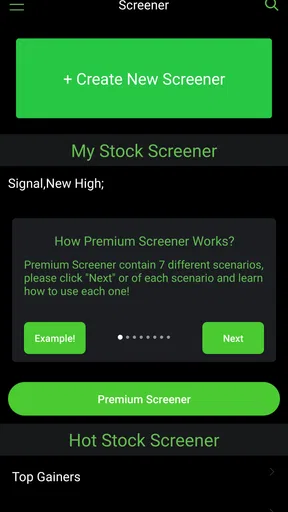
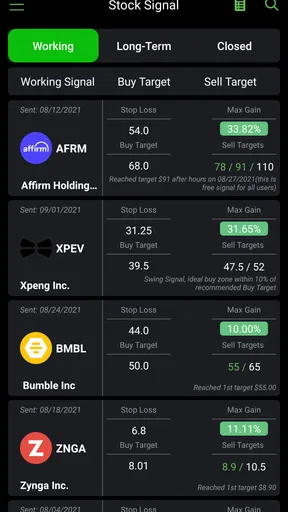
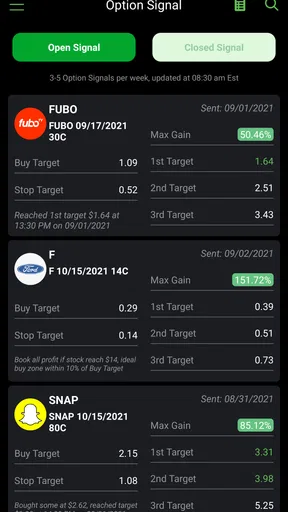
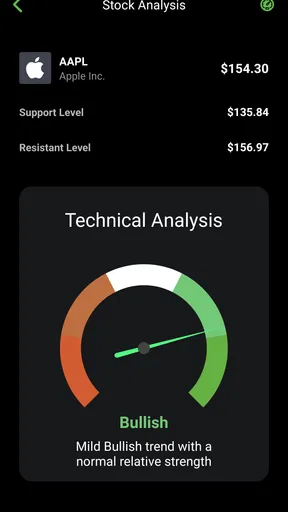
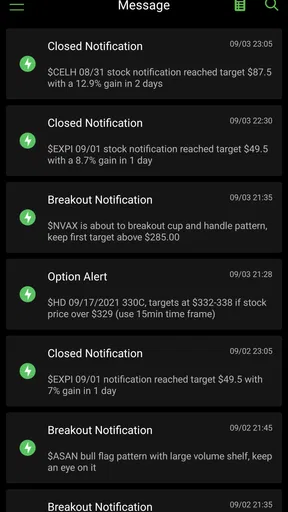
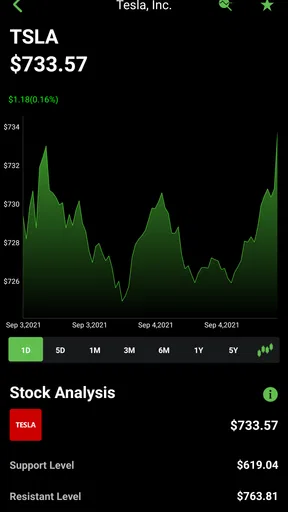
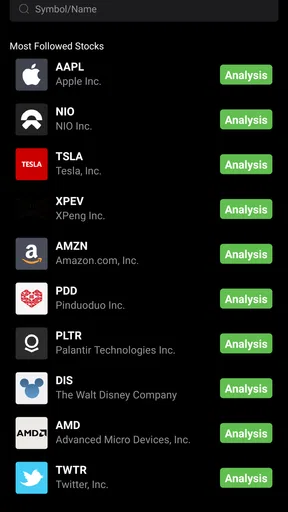
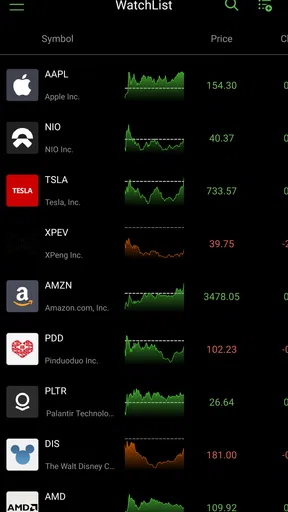
Our Review of Stock Scanner - Market Mover
 Analysis by Appyee
I approached Stock Scanner - Market Mover as a practical finance app rather than a complete investing platform. Its purpose is to help me keep an eye on market activity, follow stocks, notice news, and scan for possible movers from one mobile interface. That focus makes it more useful for monitoring than for making trades, researching a company from every angle, or replacing a broker.
The app comes from Stock Screener APP and is available free of charge, although optional in-app purchases range from $9.99 to $349.99 per item. It belongs to the finance category, carries an Everyone age rating, and supports Android devices running version 8.0 or later. The current release is 8.1, and its audience is still fairly modest, with over 50 thousand installs and an average rating of 3.1 from around 200 ratings. Those figures suggest an app with a specific audience, but also one I would approach with realistic expectations rather than assuming it has the polish of a major brokerage application.
How Stock Scanner - Market Mover feels during everyday use
I use Stock Scanner - Market Mover best as a quick way to notice what may deserve a closer look, not as the place where I settle on an investment decision. In everyday use, I’d judge it by whether its market overview helps me form a useful next question without pulling me into constant checking. That distinction matters even more when considering what I’m comfortable relying on it for.
Quick checks are where the app makes the most sense
My first impression is that the app is built around short visits. I can imagine opening it before work, checking which stocks are moving, looking at a watchlist, and scanning recent news without committing to a long research session. That is a sensible role for a mobile stock scanner: it keeps market information close at hand when I want an overview rather than a full financial report.
The perceived speed of an app like this depends on more than the time it takes to open. Market information has to load, lists need to refresh, and news or scanner results must remain readable while I move between sections. Stock Scanner - Market Mover is most appealing when used for a focused check instead of repeatedly jumping through many screens. I would use it to identify where to investigate next, then verify important details through a broker, company filing, or established financial research service.
The key performance advantage is concentration: the app brings market movement, stock tracking, news, and scanner-style discovery into the same finance workflow. That can feel faster than manually switching between a general news app, a browser, and a separate watchlist. It does not mean every decision becomes faster, but it can reduce the small amount of friction involved in finding something worth researching.
A realistic morning workflow
Imagine I own a few shares and want to see whether anything important happened overnight. I could open the app, review the market movers, check the news connected to stocks I follow, and mark down one or two names for deeper research. If a stock appears because of a sudden move, I would treat that as a prompt, not a recommendation. A scanner can show attention-grabbing activity without explaining whether the movement is justified, temporary, or already priced in.
This workflow is particularly useful for someone who wants a repeatable routine. Instead of browsing randomly, I can start with the scanner, narrow the list using my own judgment, and then inspect the relevant news. The important trade-off is that convenience can encourage impulsive reactions. I would avoid opening the app with the intention of buying whatever appears at the top. Its better use is as an early-warning and discovery layer.
What happens when the app is used heavily
Light use and heavy use are very different. A quick check of a few stocks should be straightforward in principle, while a long session involving many symbols, repeated refreshes, news reading, and several scanner searches places more demand on the device and the connection. I would expect the experience to feel less immediate when the app has to retrieve a large amount of changing market information, especially during busy trading periods.
I would also be cautious about treating a slow refresh as a market signal. A delayed screen, a temporarily empty result, or a list that takes time to update can be a technical issue rather than evidence that activity has disappeared. If I were monitoring something time-sensitive, I would confirm the information elsewhere before acting. That is not a criticism unique to this app; it is an important limitation of relying on any mobile market-information tool.
For extended sessions, the practical resource cost comes from keeping several information-heavy views active and refreshing. I would close sections I no longer need, avoid unnecessary repeated searches, and keep the app for monitoring rather than leaving it open all day as a trading terminal. Users with older phones may notice the difference sooner than people using newer hardware, particularly if other demanding apps are running in the background.
Stability and what recovery should look like
Reliability matters more to me here than visual polish. A finance app can be attractive and still be frustrating if it loses my place, fails to refresh, or becomes difficult to recover after a network interruption. With Stock Scanner - Market Mover, I would judge reliability by whether I can return to a watchlist or scanner task without having to reconstruct my entire workflow each time.
When information does not appear as expected, my first recovery step would be simple: check the connection, leave the current view, and reopen it rather than repeatedly tapping refresh. If the app remains unresponsive, restarting it is safer than making a decision based on an apparently frozen price or stale news item. I would also keep a separate record of important holdings and research notes, because a scanner should not be the only place where essential investment information exists.
The average rating of 3.1 from roughly 200 ratings is a useful reason to remain measured. It does not tell me exactly which experiences produced those ratings, but it does suggest that the app may not satisfy everyone equally. I would install it and test the specific stocks and market views I care about before depending on it for a daily routine. A finance app earns trust through consistent personal use, not through a feature list alone.
Older phones, newer phones, and practical limits
Because the app supports Android 8.0 and later, it can reach a broad range of devices, including phones that are no longer new. That is convenient, but compatibility does not guarantee identical performance across every model. A recent phone with plenty of available memory should generally be a more comfortable environment for switching between scanner results, news, and watchlists than an older device under heavy multitasking.
I would be especially careful on a phone with limited free storage, an overloaded background workload, or an unreliable mobile connection. Market information is inherently dependent on data arriving from outside the device, so a powerful phone cannot fully compensate for poor connectivity. When I am away from stable Wi-Fi, I would use the app for broad awareness and avoid assuming that every displayed item is current enough for a time-critical decision.
Battery use is also worth considering during long monitoring sessions. I would not leave any market scanner running continuously unless I had a clear reason to do so. Short checks are more sensible: open the app, review the relevant information, make a note of anything requiring research, and close it. That approach is easier on the phone and reduces the temptation to react to every small change.
How it compares with familiar alternatives
Compared with a brokerage app, Stock Scanner - Market Mover appears better suited to discovery and observation than to the complete process of managing an account. A broker normally has a direct relationship with orders, balances, and portfolio actions, while this app’s appeal is the concentration of market movement, news, and scanning tools. I would use the scanner to generate questions and a brokerage or research service to answer them before placing an order.
Compared with a general finance news app, it has a more stock-focused purpose. News alone can be broad and difficult to filter, whereas a scanner can help me begin with market activity and then look for context. The weakness is that a focused scanner may not provide the same depth as a dedicated research platform. If I need detailed financial statements, valuation work, analyst material, or a long historical investigation, I would choose a more specialized alternative.
It also differs from a simple watchlist app. A watchlist is passive unless I already know what to follow; a scanner can help surface names I had not been watching. That discovery function is valuable, but it carries more noise. I would keep my personal watchlist deliberately small and use the scanner separately, otherwise the number of interesting-looking stocks can quickly become unmanageable.
Who will get the most value
I think the best audience is a curious investor who wants a compact way to monitor several market signals without opening multiple services. It may also suit someone learning how to build a research routine, provided they understand that scanning is only the first step. The free entry point makes it easy to try the workflow before deciding whether the optional purchases are worthwhile.
The app is less suitable for a person who wants guaranteed real-time execution, a full portfolio-management system, or a single authoritative source for every investment decision. I would also skip it as a primary tool if I needed extensive company analysis or a highly specialized professional terminal. The presence of paid items, reaching as high as $349.99 for an individual purchase, makes it important to examine what each optional upgrade actually adds before spending money.
That pricing range changes how I would evaluate the app. Free access is enough to judge whether the basic scanning and tracking routine fits my habits. I would not pay simply because a market is busy or because a premium option promises more information. I would first identify a repeated limitation in the free experience, then decide whether the purchase solves that specific problem and whether another finance service would provide better value.
Small habits that improve the experience
One useful habit is to separate discovery from confirmation. I would use the scanner to find unusual activity, then read the related news and check the same stock through another trusted source. This two-step process reduces the chance of confusing a temporary move with a meaningful change in the business.
A second habit is to create a watchlist based on a reason, not just a price movement. For example, I might track companies from an industry I understand, companies I already own, or names I want to research later. That keeps the app from becoming a stream of random alerts in my head. The scanner remains useful for fresh ideas, while the watchlist reflects deliberate interest.
A third is to set a personal rule against acting during the first minute of excitement. When a stock appears among movers, I would write down what changed, look for supporting news, and consider whether the movement is relevant to my time horizon. The app can shorten the route to information, but it cannot replace judgment, risk control, or an understanding of the company involved.
I would also test the app at the times I genuinely plan to use it. A quiet weekend check tells me little about how comfortable the workflow feels during a busy market session. Trying the same watchlist, scanner view, and news routine under normal conditions gives a more honest impression of speed and stability than browsing the interface once after installation.
My performance verdict
Stock Scanner - Market Mover is most convincing as a lightweight market-monitoring companion. Its combination of stock scanning, movement tracking, news discovery, and watchlists can make a short research session more organized than relying on scattered apps. I appreciate that it has a clear practical role: helping me notice what deserves attention.
My reservations are equally clear. The moderate average rating, the possibility of heavier demands during busy information sessions, dependence on connectivity, and the broad range of optional purchase prices mean I would not make it my only finance tool. I would treat displayed information as a starting point, confirm anything important elsewhere, and avoid using it as a substitute for a broker or detailed research platform.
For someone who wants a free way to build a daily market-checking habit, I think it is worth trying, especially on a device that meets the Android requirement comfortably. For a serious trader, a professional analyst, or anyone seeking deep portfolio control, another option will probably be a better fit. My final view is favorable but cautious: use it to find and organize market ideas, not to outsource investment decisions.
After testing the workflow in that limited but realistic role, I would keep it installed if I regularly follow several stocks and enjoy doing my own research. I would remove it if the scanner creates more noise than clarity or if the optional purchases do not match my needs. That makes the app easy to recommend to the right friend, but not as a universal answer for everyone interested in finance.
Verdict
Strengths of Stock Scanner - Market Mover
- Quickly highlights stocks with unusual price and volume activity.
- Useful filters help narrow results by market movement and trading signals.
- Clean interface makes scanning watchlists and market data straightforward.
- Can support faster research before making a potential trade.
- Helpful for discovering lesser-known stocks gaining market attention.
Limitations of Stock Scanner - Market Mover
- Market data may be delayed depending on the selected exchange or plan.
- Advanced traders may find the technical analysis tools too limited.
- Frequent alerts can become distracting during volatile market sessions.
- Some features or data sources may require an in-app subscription.
- Stock scans are not investment advice and still require independent research.
Other Releases by Stock Screener APP
View All
Stocks Signals - Stock Tracker
Finance3.4

Stock Screener - Stock Screens
Finance4.3
Similar Picks in This Category
View All
Google Wallet
Google LLC4.3

Airtel: Recharge, Bank & Loans
Airtel4.0

PayPal - Pay, Send, Save
PayPal Mobile4.2

DANA Indonesia Digital Wallet
PT Espay Debit Indonesia Koe4.5

Binance: Buy Bitcoin & Crypto
Binance Inc.4.8

Cash App
Block, Inc.4.7
Frequently Asked Questions
What is Stock Scanner - Market Mover used for?
Stock Scanner - Market Mover is designed to help investors monitor stocks that are experiencing notable price, volume, or momentum changes. After reviewing its main tools, I found it most useful for quickly spotting potential market movers, checking basic market information, and creating a focused watchlist. It is better suited to research and idea generation than to replacing a complete brokerage or professional trading platform.
Does Stock Scanner - Market Mover provide real-time stock data?
The availability and speed of market data can depend on the selected exchange, region, subscription level, and the app’s data provider. Some information may be delayed rather than truly real time, so users should check the timestamp before making any trading decision. I recommend confirming prices, volume, and company details through a broker or another trusted financial source before placing an order.
Can I trade stocks directly from Stock Scanner - Market Mover?
Stock Scanner - Market Mover primarily functions as a market-scanning and research tool, not necessarily as a full-service brokerage account. Its scanners can help identify interesting securities, but users should not assume that every stock can be bought or sold inside the app. If trading is supported through an external integration, account availability, fees, and supported markets should be checked carefully before use.
Is Stock Scanner - Market Mover suitable for beginners?
Beginners can use Stock Scanner - Market Mover to learn how investors filter stocks by movement, volume, and other market signals, but the app may still require familiarity with terms such as volatility, percentage change, market capitalization, and technical indicators. It does not guarantee profitable results. New investors should treat its results as starting points for research and learn basic risk management before trading.
Is Stock Scanner - Market Mover free to download and use?
The app may be available to download at no initial cost, but some features can be limited by advertisements, in-app purchases, or a premium subscription. Depending on the version, advanced scanners, alerts, historical information, or expanded market coverage may require payment. Before subscribing, review the pricing page, renewal terms, trial conditions, and cancellation process so there are no unexpected charges.
